
Transparent overlay
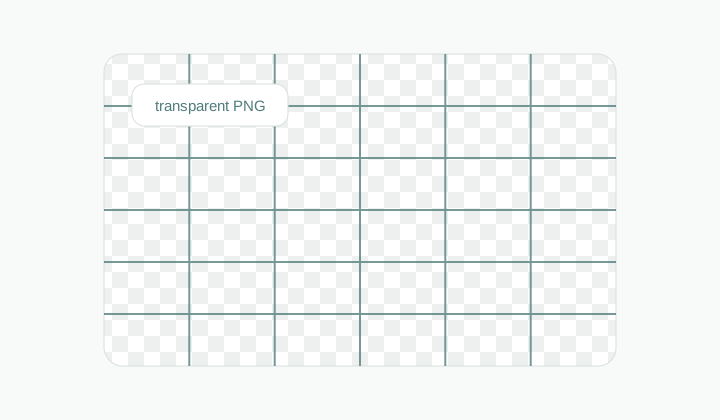
A blank grid exported with transparent background, ready to place over a sketch, mockup, or image in another app.
Grid generator
Generate blank SVG, PNG, and CSS grid assets with size, color, rotation, and transparency controls.
A no-upload generator for layout marks, design overlays, and printable blank grid assets.
Size presets
Grid
3 x 3
Size
1080x1080
Preset
1080x1080
Use this as a background grid in your own layout.
.gridmaker-grid {
  --gridmaker-cell-width: 360px;
  --gridmaker-cell-height: 360px;
  width: 1080px;
  height: 1080px;
  background-color: #ffffff;
  background-image:
    linear-gradient(#4f7c7b 1px, transparent 1px),
    linear-gradient(90deg, #4f7c7b 1px, transparent 1px);
  background-size: var(--gridmaker-cell-width) var(--gridmaker-cell-height);
  transform: rotate(0deg);
}
Workflow
A grid generator is for the moments when you do not want to upload an image at all. You need a blank structure: layout lines for a poster, a transparent overlay for drawing software, a simple printable grid, or a CSS background for a web mockup. GridMaker builds that structure directly from numbers. Set the canvas size, rows, columns, stroke width, rotation, line color, background color, or transparency, then export the grid as SVG, PNG, or CSS.
A blank grid exported with transparent background, ready to place over a sketch, mockup, or image in another app.
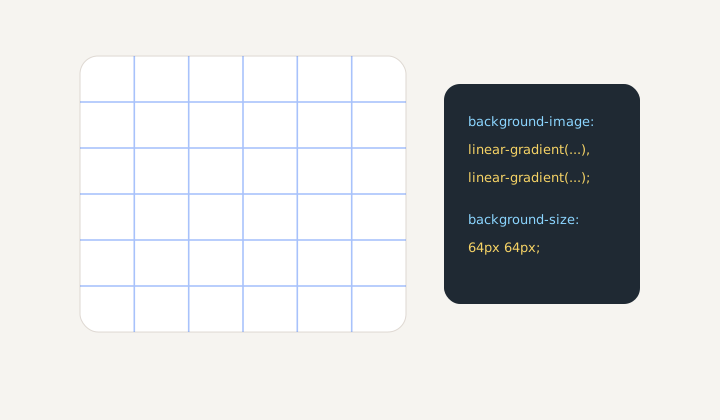
A web layout grid expressed as a repeatable CSS pattern, useful for interface mockups and alignment checks.
Blank assets
Many tools begin with an upload. This one begins with a canvas. That makes it useful for designers planning layouts, teachers creating worksheets, front-end developers testing alignment, and artists who want a clean overlay before importing it into another app.
Preset sizes cover common social and web canvases, while custom width and height let you match slide decks, product mockups, app screenshots, or print experiments. Rows and columns are independent, so the grid can be square, rectangular, dense, sparse, or deliberately asymmetrical.
Because the output is blank, it can become a reusable system asset. A team can keep one layout grid for presentation covers, another for social graphics, and another for UI review. The grid is no longer tied to a single picture; it becomes a quiet measuring layer that travels between tools.
Export choice
SVG is the best choice when you need a crisp, scalable vector asset. PNG is convenient for quick previews, print handouts, and apps that do not accept SVG. CSS is useful when the grid is meant to become a background pattern in a website or prototype rather than a separate image file.
Transparent backgrounds make the grid easy to place over another design. A subtle line color can sit over art or photos, while a stronger color can be used for layout debugging. Rotation helps when you need diagonal construction marks or a more dynamic compositional guide.
The CSS option is included because developers often need the same visual aid in code, not as a downloaded file. A copied background pattern can live in a prototype, debug layer, or documentation page. That avoids exporting another asset and keeps the grid adjustable where the interface is being built.
Fast iteration
Changing a grid by hand is tedious. With numeric controls, you can test 3x3, 6x8, 12-column, or rotated variations in seconds. The preview reflects the final export, so the file you download is the same structure you inspected.
This makes the generator useful beyond one-off downloads. It can support repeated design review, classroom templates, blank planner pages, craft patterns, web backgrounds, and quick visual systems that do not justify opening a heavy editor.
It is also a good neutral starting point for teams that disagree about layout by eye. A grid gives everyone the same reference layer before subjective feedback begins. Designers can talk about column rhythm, developers can check spacing consistency, and teachers can give students a template that is accurate before any drawing or content is added.
For print work, test a simple version first. A dense digital grid may look precise on a monitor but too heavy on paper. Lower stroke width, increase spacing, or switch to a lighter color when the guide needs to stay in the background.
Workflow
Define the grid as data first, then export it in the format that matches your next tool.
No. Grid Generator creates blank grid assets from canvas settings, rows, columns, colors, and export options.
It creates a background pattern you can paste into a website or prototype when you want a grid without an image file.
Yes. Enable transparent background when the grid needs to sit over artwork, screenshots, or another design surface.
Yes. Rotation can create diagonal construction marks, texture-like backgrounds, or dynamic composition guides.
PNG is quick and broadly compatible. SVG is better if you want vector precision and plan to place the grid in a design app first.
Yes. The CSS export and custom canvas controls make it handy for layout debugging, placeholder backgrounds, and visual rhythm checks.