
Photo overlay
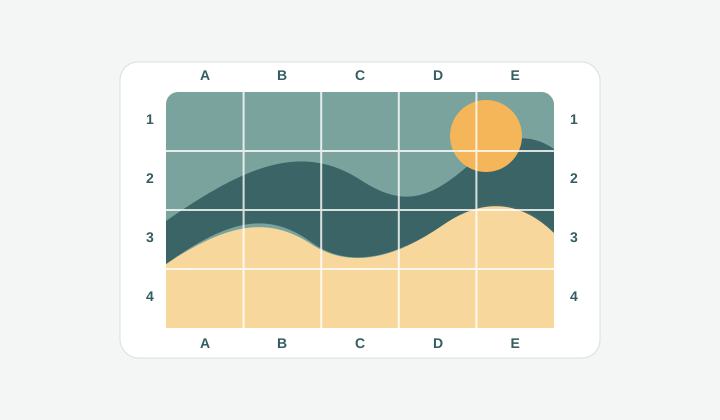
A photo receives measured rows, columns, and edge labels so the subject can be discussed or copied cell by cell.
Add grid to image
Upload any image, overlay clean grid lines, adjust rows, columns, labels, diagonals, paper size, and export or print the finished image locally.
A focused workspace for placing measured grid lines over photos, sketches, references, and printable images.
Your reference image and grid will appear here.
Image
1200x800px
Grid
8 x 8
Paper
A4 portrait
Size
210x297mm
Print marks
7 + 7
Draw 7 vertical marks every 23.8mm and 7 horizontal marks every 34.6mm inside the A4 portrait (210x297mm) margin box.
Workflow
Sometimes the search intent is simple: you already have an image and you need visible grid lines on top of it. This tool keeps that job direct. Upload a photo, sketch, worksheet, product shot, or reference image, choose the number of rows and columns, then export the gridded version. It shares the same accurate rendering engine as Drawing Grid Maker, but the page speaks to a broader task: adding a usable grid overlay to any image without installing design software.
A photo receives measured rows, columns, and edge labels so the subject can be discussed or copied cell by cell.
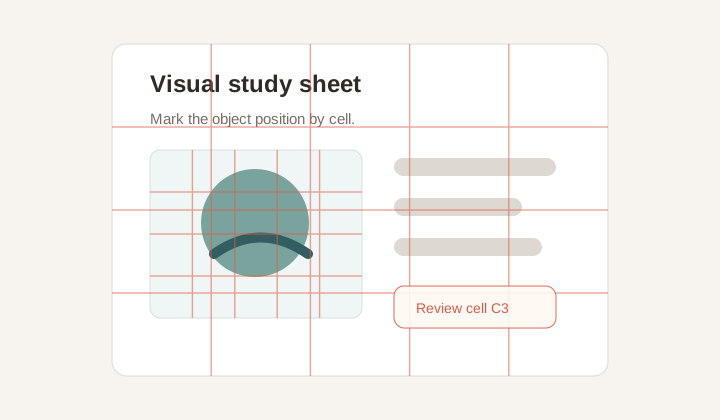
A simple teaching or review sheet with subtle grid lines, useful for assignments, layout critique, or visual alignment checks.
Flexible overlay
A good overlay should guide the eye without burying the subject. GridMaker lets you tune line color, width, opacity, labels, diagonals, and grayscale mode while the preview updates. Use a warm line on black and white images, a cool line on product photos, or a subtle low-opacity grid when the original details need to stay dominant.
Outer labels make the grid useful for discussion and review. A teacher can point to B4, a designer can comment on the top-right area, and a client can reference a specific product detail. When labels sit outside the image, the original content remains easier to inspect.
That balance matters in everyday work. A grid that is too strong becomes visual noise, while a grid that is too faint cannot guide a discussion. The controls are intentionally close to the preview so you can make small changes, judge them immediately, and stop when the overlay supports the image instead of competing with it.
Many use cases
The same grid overlay can support different workflows. Artists use it for copying proportions. Teachers use it for printable assignments. Designers use it to review alignment or crop balance. Sellers use it to mark product positions. Because the tool is not tied to a single subject type, it works whenever a picture needs a measured coordinate system.
Diagonal guides are optional, but they can make the overlay more expressive. They reveal center lines inside each cell, which helps with perspective, object angles, and rough composition. Turn them on for transfer work, and leave them off when you only need a clean row-and-column reference.
The broad use case is why the page keeps the language simple. Someone may arrive with a classroom scan, a product photo, a tattoo reference, a sewing pattern, or a screenshot that needs review. In each case the core action is the same: place a readable coordinate system on top, keep the original image visible, and leave with a file that can be printed, shared, or annotated elsewhere.
Private export
The file stays in the browser. GridMaker uses local canvas rendering to create the final PNG and a print-ready image document. That makes it practical for sensitive client images, unpublished art, personal references, and classroom material that does not belong in a remote upload queue.
The print flow contains only the rendered image, so it avoids the common problem of printing the whole web page. Choose a paper preset or custom size, check the preview, and print the gridded result as a focused image sheet.
For shared review, the exported PNG is usually easiest. It can be dropped into chat, email, a slide deck, or a task comment while keeping the coordinate labels visible for everyone.
Workflow
Use the tool when you need an image with a visible coordinate system, not a collage or a split grid.
The core grid engine is shared, but this page is written for the broader task of putting a grid on any image: photos, mockups, worksheets, scans, or references.
Yes. Upload the photo, choose rows and columns, adjust the style, then export a PNG. No desktop editor or account is required.
You control opacity, width, color, and labels. Labels can stay outside the image, and thin low-opacity lines help keep details visible.
Yes. The Print / PDF action opens an image-only document instead of printing the whole tool interface.
Yes. Choose custom paper and enter millimeter dimensions when the output needs to match a canvas, panel, worksheet, or non-standard page.
Use PNG for the finished overlay because it preserves clean lines and labels. Use PDF printing when you need a physical guide.