

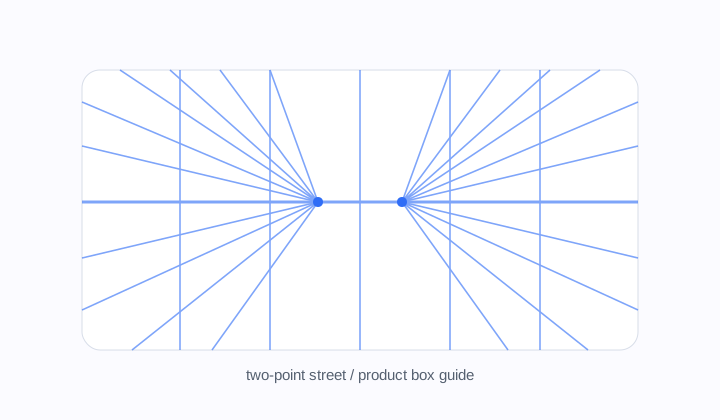
Two-point street guide
A widescreen guide with left and right vanishing points, useful for street scenes, rooms, product boxes, and architectural corners.
Perspective grid
Build 1-point, 2-point, and 3-point drawing guides with canvas presets and transparent exports.
Tune horizon height, vanishing points, guide density, and export a reusable drawing overlay.
Perspective type
Mode
two point
Canvas
16:9 Widescreen
Lines
105
two point grid, 16:9 Widescreen, 2 vanishing points, 105 guide lines. Transparent PNGs can drop straight into drawing apps as overlay layers.
Workflow
A perspective grid generator helps artists and designers build believable space before the drawing becomes complicated. One-point perspective pulls the scene toward a single vanishing point. Two-point perspective supports corners, streets, boxes, and product sketches. Three-point perspective adds a vertical vanishing point for tall buildings, dramatic interiors, and camera angles looking up or down. GridMaker turns those choices into adjustable guides that can be downloaded as SVG or PNG, including transparent overlays for digital drawing apps.
A widescreen guide with left and right vanishing points, useful for street scenes, rooms, product boxes, and architectural corners.
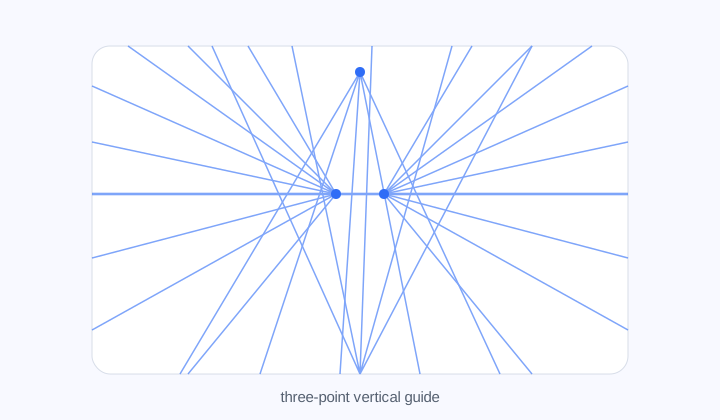
A dramatic perspective layout with a third vertical vanishing point for towers, tall interiors, and looking-up camera angles.
Perspective modes
One-point perspective is direct and stable. It works well for hallways, roads, rooms, shelves, and compositions where the viewer faces a surface head-on. Two-point perspective is more flexible for objects turned in space, city corners, packaging, furniture, and product sketches. Three-point perspective is useful when verticals need drama instead of staying parallel.
The generator exposes these modes without requiring a drawing theory setup each time. You choose the type, then tune the horizon and vanishing point positions until the guide matches the camera feeling you want. The preview updates immediately, so the geometry can be judged visually.
The controls are numeric enough to be repeatable but visual enough to stay approachable. If a comic panel needs the same street angle across several frames, the settings can be reused. If a concept sketch suddenly needs a lower camera, moving the horizon changes the whole guide without redrawing construction lines.
Guide density
Too few rays can leave a drawing vague; too many can make the page noisy. Line density controls how many perspective rays are created, while vertical guides add structural reference lines across the canvas. Opacity and line width make the grid softer or stronger depending on whether it is a construction layer or a printable study sheet.
Canvas presets keep common formats available: widescreen, classic 4:3, square, portrait, and vertical. Custom sizes cover sketch pages, concept art frames, storyboards, comic panels, and social images. A transparent background lets the grid sit above a rough sketch or below final line work in apps such as Procreate, Photoshop, and Clip Studio Paint.
The best guide is usually the one that disappears once the drawing starts working. Keep the grid strong while blocking the scene, then lower opacity or switch layers when drawing detail. For teaching, a denser visible grid can be useful; for finished illustration, a softer transparent overlay keeps the construction available without flattening the artwork.
Reusable output
SVG export keeps lines editable and sharp when placed into a vector or design workflow. PNG export is fast for overlays, reference folders, and apps that prefer raster images. When transparency is enabled, the PNG can drop over a drawing without blocking the artwork underneath.
Because the grid is generated from settings rather than a fixed template, it can be reused for a series. Keep the same horizon and vanishing points for multiple panels, or reset the guide when the camera angle changes. This makes the tool useful for learning, teaching, concept art, architecture sketches, and product ideation.
The exported guide is intentionally plain. It does not decide the drawing style, vanishing-point theory, or final composition for you. It simply gives the scene a reliable spatial scaffold so creative decisions can happen on top of a stable structure.
Workflow
Set the space first, then let the drawing sit inside a guide that matches the intended camera angle.
Use it when the viewer faces the scene directly: hallways, roads, rooms, shelves, tunnels, or any composition receding toward one point.
Use two-point perspective for corners, boxes, city streets, furniture, vehicles, packaging, and objects rotated in space.
Three-point perspective adds a vertical vanishing point, which helps with skyscrapers, dramatic interiors, and camera angles looking sharply up or down.
Yes. Export a transparent PNG and place it as an overlay layer, or export SVG when your design app supports vector placement.
Use fewer lines for rough composition and more lines for architecture or product sketches that need careful alignment.
No. It supports the learning process by making horizon and vanishing-point relationships visible while you practice applying them.