
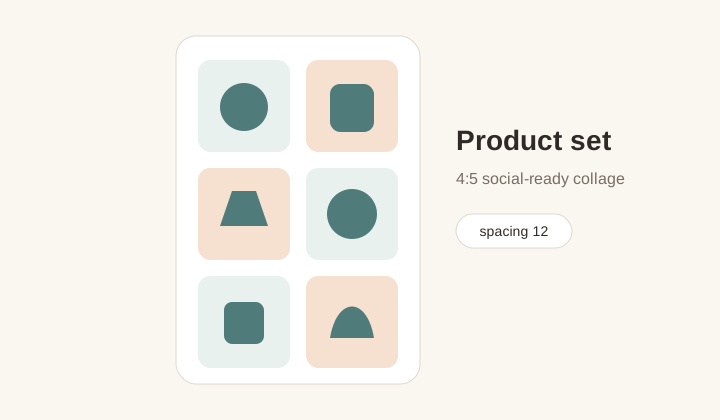
Product set grid
A 4:5 collage that groups related product photos with consistent spacing and a soft background for social commerce posts.
Photo grid maker
Arrange 2-12 photos into square, 4:5, story, or wide grids and export a clean PNG.
A compact collage maker for posts, moodboards, product sets, and story grids.
Canvas preset
Layout
1 x 1
Canvas
1080x1350
Photos
0
Upload photos to compose a grid.
Auto-fit uses the uploaded photo count. Enter rows or columns only when you want a specific composition.
Workflow
A photo grid maker combines multiple images into one finished layout. That is a different job from splitting one image into tiles. Here the goal is balance: choosing a canvas ratio, placing several photos, controlling spacing and corners, and exporting a single PNG that is ready for a post, story, marketplace listing, moodboard, or quick client preview. GridMaker keeps the controls small but useful, so you can build a clean collage without opening a full design app.
A 4:5 collage that groups related product photos with consistent spacing and a soft background for social commerce posts.
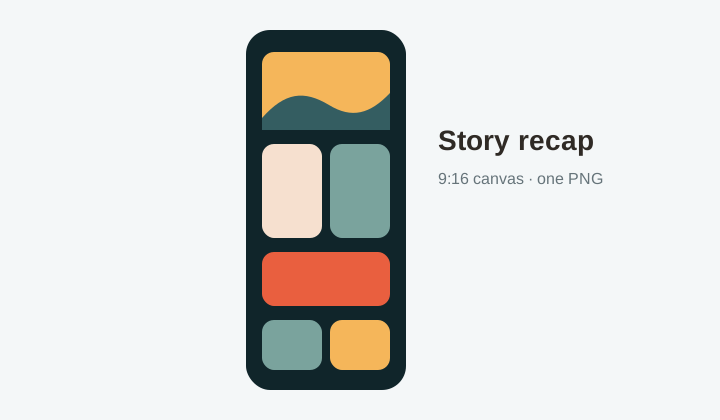
A tall 9:16 grid for travel, events, or behind-the-scenes recaps where multiple images need to fit a mobile story frame.
Layout choices
Square grids work well for avatars, simple collages, and gallery previews. Instagram 4:5 is useful for feed posts because it gives more vertical room. Story 9:16 fits phone screens, while wide 16:9 supports banners, thumbnails, and presentation slides. Choosing the canvas first prevents the collage from feeling accidental.
The tool can auto-arrange 2 to 12 images, or you can set rows and columns when the composition needs a specific rhythm. Auto layout is best for fast social posts. Manual layout is better for product groups, comparison sets, and before-after sequences.
A fixed canvas also makes reuse easier. A small business can keep every weekly product collage in the same 4:5 format. A creator can keep event recaps in a story-sized frame. A portfolio owner can build repeatable wide banners. The image set changes, but the visual container stays recognizable.
Visual tone
Small spacing creates a dense editorial grid. Larger spacing feels more like a clean moodboard. Rounded corners soften lifestyle images, while square corners fit product, architecture, and portfolio layouts. Background color can match a brand palette or simply give the grid breathing room.
These controls are intentionally direct. The goal is not to replace a complex design suite, but to solve the common moment when several images need to become one polished graphic quickly. Every adjustment is reflected in the preview before export.
The best results usually come from restraint. If the photos already carry strong color, a simple white or neutral background keeps the collage calm. If the photos are minimal, a subtle brand color can add identity without making the layout feel heavy. The spacing control is often the fastest way to move between compact and premium.
Local collage
Photos are loaded locally and drawn to a canvas in the browser. That makes the tool comfortable for drafts, private family images, client previews, and product photos that are not ready to be uploaded to another service. When the collage is ready, the export is one clean PNG.
Because the output is a single image, it is easy to move into scheduling tools, store builders, presentations, chat, email, or another editor. GridMaker handles the quick layout step and leaves more advanced retouching to whatever tool you prefer.
The local workflow also supports quick comparison. You can try a square version, switch to 4:5, test a wider spacing, and download only the version that works. Nothing has to be saved to an account or uploaded into a project library. That makes the page useful for small decisions that happen many times during a week of content production.
It also keeps the tool friendly for non-designers. A shop owner, teacher, organizer, or creator can make a tidy grid by choosing a ratio and adjusting only a few visible controls, instead of learning layers, masks, and export presets.
Workflow
Create a finished multi-photo graphic by choosing the right canvas, arranging the photos, and exporting a single PNG.
Photo Grid Maker combines many photos into one collage. Instagram Grid Maker cuts one source image into multiple profile posts.
The tool is designed for 2 to 12 images, which keeps the layout readable and the browser export fast.
Yes. Leave them automatic for quick collages, or enter rows and columns when you need a fixed structure.
The finished collage downloads as PNG so edges, spacing, and text-like details stay crisp.
No. The photos are read locally by the browser and rendered into a canvas for export.
Use 4:5 for Instagram feed reach, 1:1 for square galleries, 9:16 for stories, and 16:9 for banners or presentations.