

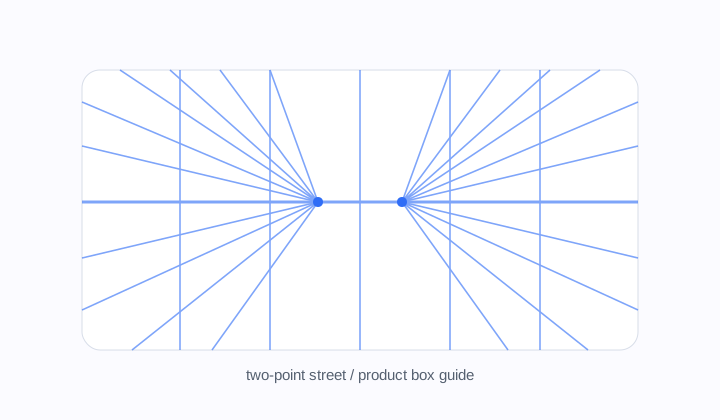
Two-point street guide
Widescreen guide for street scenes, rooms, product boxes, and architectural corners.
Perspective grid
Build 1-point, 2-point, and 3-point drawing guides with canvas presets and transparent exports.
Tune horizon height, vanishing points, guide density, and export a reusable drawing overlay.
Perspective type
Mode
two point
Canvas
16:9 Widescreen
Lines
105
two point grid, 16:9 Widescreen, 2 vanishing points, 105 guide lines. Transparent PNGs can drop straight into drawing apps as overlay layers.
Workflow
Perspective Grid Generator helps set space before the drawing gets complicated. One-point is good for hallways and straight roads. Two-point works for corners, boxes, furniture, and product sketches. Three-point adds vertical drama for tall buildings and camera angles looking up or down.
Widescreen guide for street scenes, rooms, product boxes, and architectural corners.
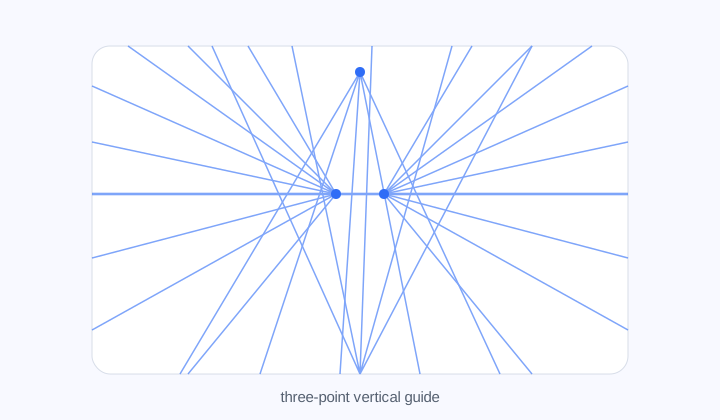
A dramatic layout with a third vertical vanishing point for towers and looking-up angles.
Perspective modes
Use 1P for direct depth, 2P for rotated objects and street corners, and 3P for dramatic vertical scenes.
Guide density
Control rays, vertical guides, opacity, and line width so the grid supports the sketch instead of overwhelming it.
Reusable output
SVG stays sharp and editable. Transparent PNG can drop into Procreate, Photoshop, or Clip Studio Paint as an overlay layer.
Workflow
Pick the camera logic, tune horizon and vanishing points, then export the guide.
Hallways, roads, rooms, shelves, tunnels, and scenes receding toward one point.
For city corners, boxes, furniture, vehicles, packaging, and rotated objects.
It adds a vertical vanishing point for tall buildings and dramatic camera angles.
Yes. Export transparent PNG as an overlay, or SVG for vector workflows.
Use fewer lines for rough sketches and more for architecture or product work.
No, but it makes horizon and vanishing-point relationships visible while practicing.