
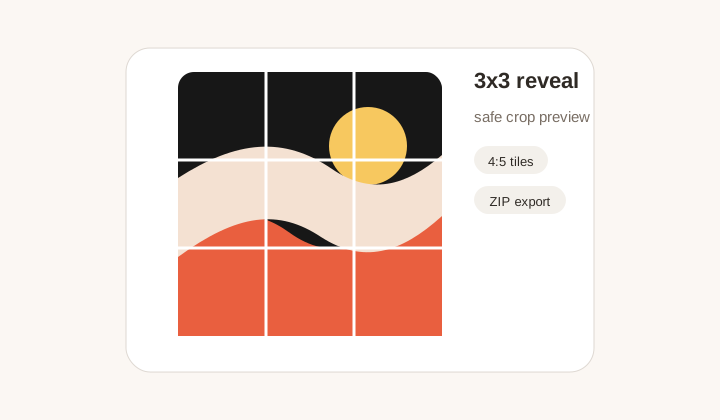
3x3 profile reveal
Campaign image کو نو safe tiles میں کاٹا جاتا ہے تاکہ important detail seam سے بچے۔
Instagram grid maker
1x3 سے 4x3 profile slices بنائیں، safe crop preview دیکھیں، ZIP export اور posting order حاصل کریں۔
Puzzle feeds، row banners، carousel covers اور launch grids کے لیے fast presets۔
Grid layout
Layout
3 x 3
Slices
9 files
Post order
9, 8, 7
Upload an image to inspect the crop.
Exported 4:5 slices will appear here.
Posting order
Post in reverse order: 9 -> 8 -> 7 -> 6 -> 5 -> 4 -> 3 -> 2 -> 1. Instagram will rebuild the puzzle from left to right after the final upload.
Workflow
Instagram Grid Maker ایک بڑی campaign image کو چھوٹے posts میں کاٹتا ہے، جو profile پر دوبارہ ایک تصویر کی طرح دکھتے ہیں۔ صحیح grid صرف crop boxes نہیں؛ safe area، ہر tile کی readability، اور upload order بھی اہم ہیں۔ GridMaker preset layouts، preview اور ZIP export کے ساتھ یہ کام آسان کرتا ہے۔
Campaign image کو نو safe tiles میں کاٹا جاتا ہے تاکہ important detail seam سے بچے۔
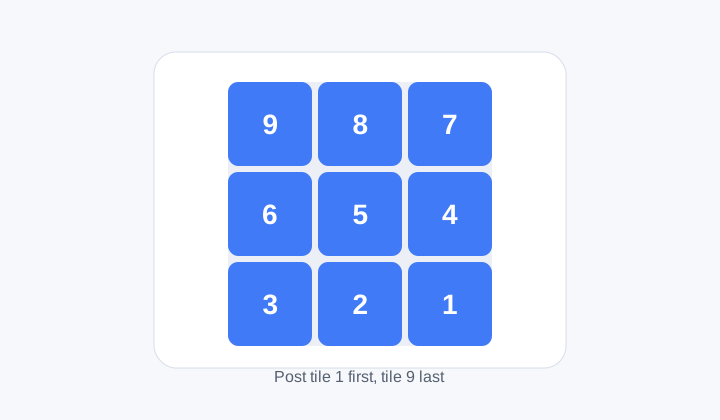
Numbered sequence بتاتا ہے کہ tiles کس ترتیب سے publish کرنے ہیں۔
Profile first
Preview سے معلوم ہوتا ہے کہ face، logo، text یا product detail seam پر تو نہیں آ رہی۔ Safe padding important content کو awkward crop سے بچاتا ہے۔
Posting order
Instagram newest post کو پہلے دکھاتا ہے، اس لیے tiles عموما reverse visual order میں post کرنے ہوتے ہیں۔ Numbered files team handoff آسان بناتے ہیں۔
Formats
Photos کے لیے JPG، logo اور text-heavy design کے لیے PNG، اور smaller modern workflow کے لیے WebP اچھا ہے۔ Cutting browser میں ہوتی ہے۔
Workflow
Crop awareness، format choice اور posting order کے ساتھ profile grid content تیار کریں۔
نہیں۔ یہ files تیار کرتا ہے؛ publishing Instagram یا scheduler میں کرنی ہوگی۔
Instagram newest post پہلے دکھاتا ہے، اس لیے large image reconstruct کرنے کے لیے order درست ہونا چاہیے۔
1x3 banner کے لیے، 2x3 compact campaign کے لیے، 3x3 classic reveal کے لیے، 4x3 longer storytelling کے لیے۔
ہاں۔ Generate کے بعد Download ZIP استعمال کریں۔
Tool profile-ready slices بناتا ہے، مگر publish settings اور platform changes check کرنا بہتر ہے۔
نہیں۔ Row banners، launch countdowns، covers اور educational layouts میں بھی مفید ہے۔