
Photo overlay
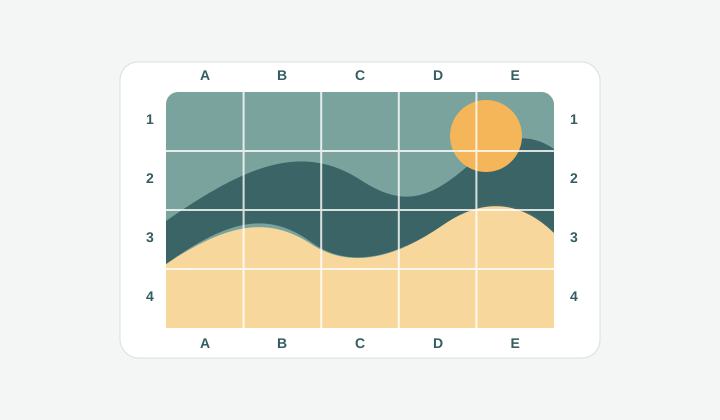
Photo پر rows، columns اور edge labels لگتے ہیں تاکہ subject کو cell by cell discuss کیا جا سکے۔
Add grid to image
Image upload کریں، clean grid overlay لگائیں، rows، columns، labels، diagonals اور paper size tune کریں، پھر local export یا print کریں۔
Photos، sketches، references اور printable images پر measured grid lines رکھنے کا focused workspace۔
حوالہ تصویر اور گرڈ یہاں دکھائی دیں گے۔
تصویر
1200x800px
گرڈ
8 x 8
کاغذ
A4 portrait
سائز
210x297mm
پرنٹ نشانات
7 + 7
Draw 7 vertical marks every 23.8mm and 7 horizontal marks every 34.6mm inside the A4 portrait (210x297mm) margin box.
Workflow
کبھی ضرورت صرف اتنی ہوتی ہے کہ ایک تصویر پر صاف grid lines لگ جائیں۔ اس page میں photo، sketch، scan، worksheet، product image یا mockup upload کریں، rows اور columns منتخب کریں، line style adjust کریں، اور final gridded image export کریں۔ بڑی design app کی ضرورت نہیں، اور image local رہتی ہے۔
Photo پر rows، columns اور edge labels لگتے ہیں تاکہ subject کو cell by cell discuss کیا جا سکے۔
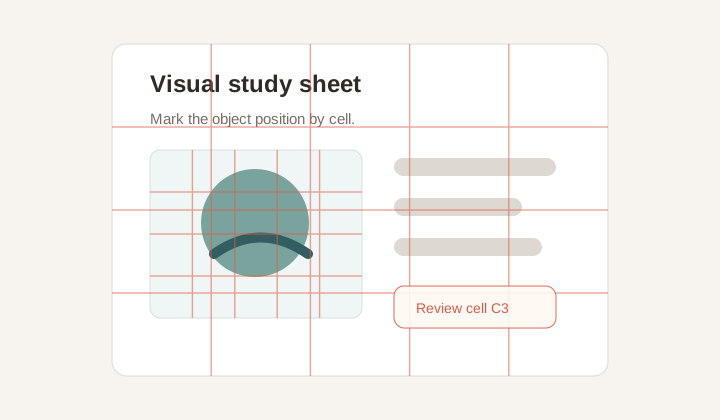
Class assignment، layout critique یا alignment check کے لیے subtle grid مددگار ہے۔
Overlay control
Line color، width، opacity، labels، diagonals اور grayscale mode آپ کے control میں ہیں۔ Outer labels coordinates دیتے ہیں مگر subject کو cover نہیں کرتے۔
Use cases
Artists اسے proportion کے لیے، teachers class material کے لیے، designers feedback کے لیے، اور sellers product position mark کرنے کے لیے استعمال کر سکتے ہیں۔
Private export
Canvas rendering local ہے۔ Print/PDF پورے webpage کے بجائے صرف rendered image کھولتا ہے۔
Workflow
جب آپ کو ایک gridded image چاہیے، collage یا split tiles نہیں، یہ flow سیدھا ہے۔
Core engine وہی ہے، مگر یہ page کسی بھی image پر grid overlay کے broader use case کے لیے ہے۔
ہاں۔ Photo upload کریں، grid style منتخب کریں، اور PNG export کریں۔
Opacity، width، color اور outer labels سے overlay کو ہلکا رکھا جا سکتا ہے۔
ہاں۔ Print/PDF image-only document کھولتا ہے۔
ہاں، millimeter dimensions دے کر canvas، panel یا worksheet match کر سکتے ہیں۔
Clean digital overlay کے لیے PNG، physical guide کے لیے Print/PDF۔